Attila, S/4HANA, BTP Fullstack Developer (EN, DE, HU)
Official ABAP MCP Server – VSCode

SAP released the ABAP Development Tools for VSCode. You can edit source code based ABAP repository objects in VSCode. SAP also added one more nice experimental easter egg an ABAP MCP server running on a local port into the extension. It just has to be turned on .
Configuration
Adding ABAP System to VSCode
After installing the extension, adding ABAP system to VSCode needs two commands to execute (Ctrl + Shift + P on windows)
- Add destination
- Add system as folder into your workspace
- Open the context menu of the newly added folder to log on
Individual packages can be added as folders to your workspace also.



Enable ABAP MCP Server
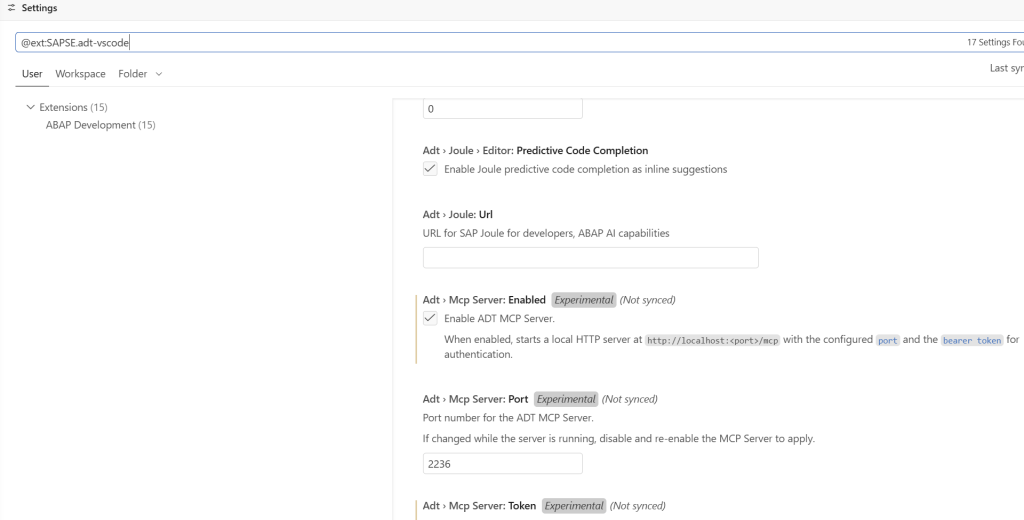
In the settings there is an experimental feature
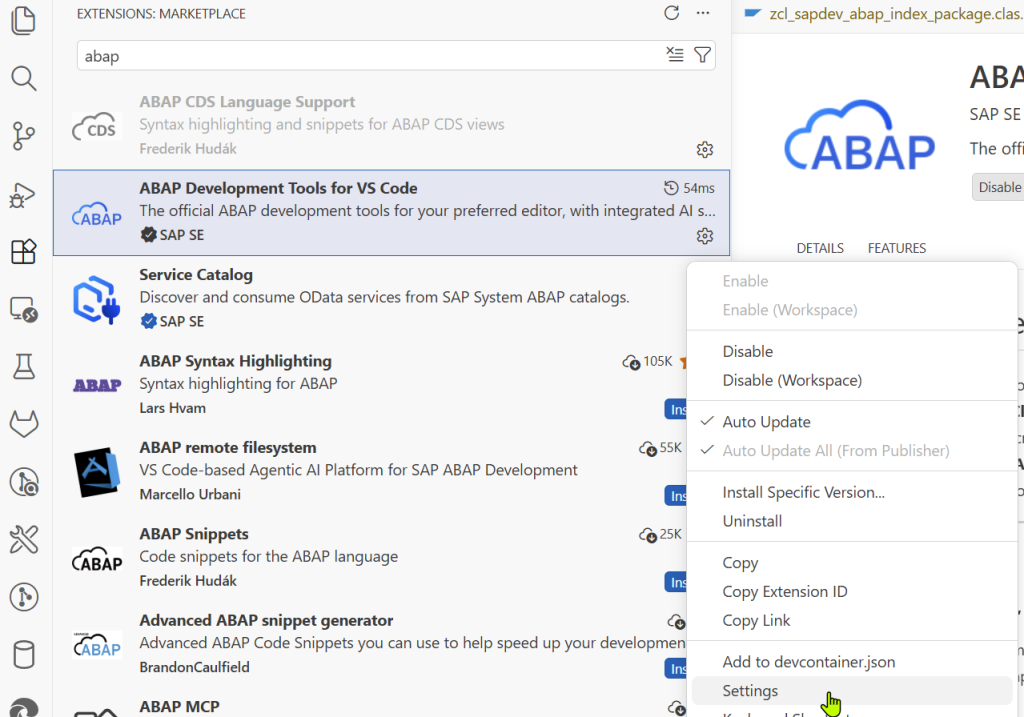
Enable ADT MCP Server and see a wonder.
Technical Background
After that you are freely to manipulate the following ABAP Repository Objects directly using SAP ADT Services.
| Name | Object Type |
|---|---|
| Behavior Definition | BDEF/BDO |
| Change Document Object | CHDO/CHD |
| ABAP Class | CLAS/OC |
| Access Control | DCLS/DL |
| Data Definition | DDLS/DF |
| Metadata Extension | DDLX/EX |
| CDS Aspect | DRAS/RAS |
| CDS Type | DRTY/STY |
| ABAP Interface | INTF/OI |
| SAP Object Node Type | NONT/NOT |
| Number Range Object | NROB/NRO |
| SAP Object Type | RONT/ROT |
| Service Binding | SRVB/SVB |
| Service Definition | SRVD/SRV |
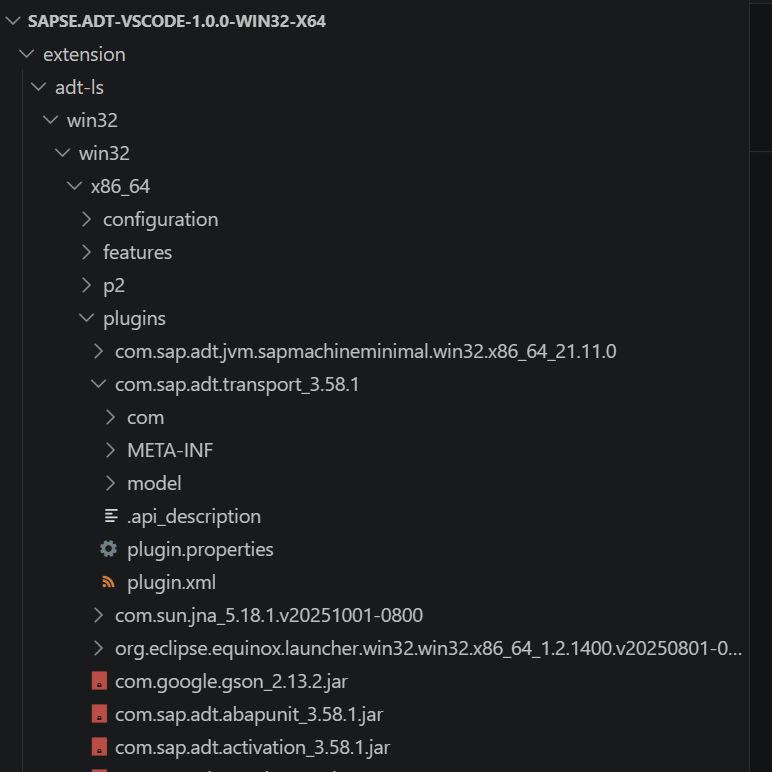
Note: SAP official VSIX extension internally reuse/wrap existing Eclipse ADT libraries as a language server to do the job in the background.
Usage
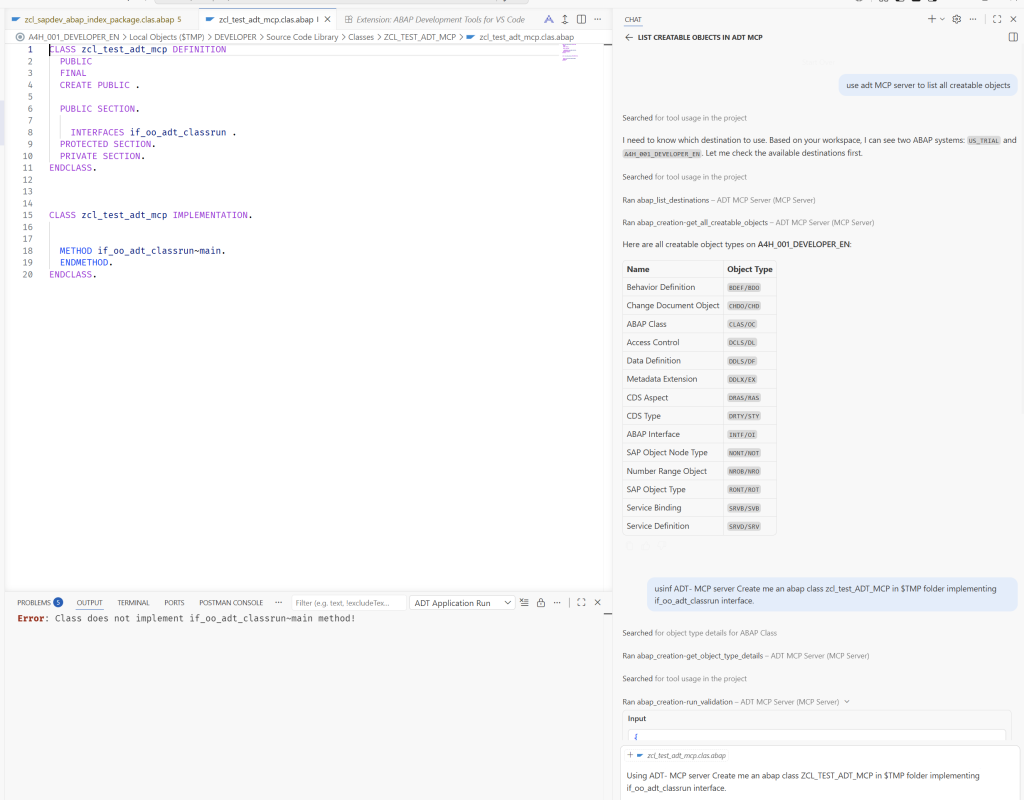
Simply enter a prompt in GitHub CoPilot like
Using ADT- MCP server Create me an abap class ZCL_TEST_ADT_MCP in $TMP folder implementing if_oo_adt_classrun interface
Voila
Closing Notes
SAP unlocked using any Agents and Models to access an ABAP System for developers to speed up development.
The main fact here is that you do not leave your development environment using official ABAP MCP Server, and changes are made in your workspace and persisted with SAP standard APIs to the backend. This is a big usability improvement comparing to 3rd party MCP servers going through an alternative route, where you have to switch workspaces, and jump back and forth to see the correctness of the generated objects, or you have to manually refresh your workspace. This is gone now
It’s time to prototype with these tools and see the boundaries ! Lot of improvements are to be expected by SAP in the upcoming years, because SAP had to acknowledge the train is not waiting, and he will be out of game with the closed controlling tooling.
Combining SAP Official MCP Servers with other SAP community and open source MCP servers using GitHub CoPilot is a good idea to try now.